 Gun Reviews >
 Find a Dealer >
 Find a Club >
 Competitions >
 videos >
 Reader Survey >
Quickload Ballistic Programme
- Last updated: 15/12/2016



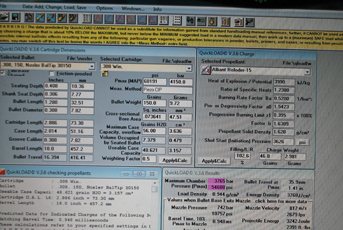
I would not be without my Quickload and Quick Target ballistics programs! I am no computer expert but it is easy to use and even addictive. I also use its sister program Quick Design for all my wildcat creations.
SPEC SHEET
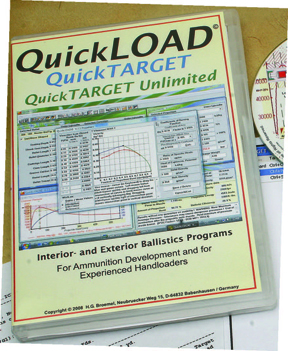
For £125 you get Quickload, the loading part or interior ballistics bundled with Quick Target exterior ballistics, data generated can be moved from one to the other. There are 1200 cartridges stored with new factory and wildcats updated all the time, and over 230 powders, so bags of choice! Equally there are 2500 choices on bullets from most manufacturers. The real beauty is that it will allow you to understand the effects of pressures, velocities and energy by changing single or multiple variables in the reloading procedure.
Predictions regarding barrel length, temperature changes, bore friction, bullet seating depth can all be loaded and checked on screen in safety. Used wisely you can load up your favourite cartridge and simulate its ballistics and trajectory with just a click of the mouse.
GETTING STARTED
With the program booted you have a ‘main functions’ sheet in front of you that remains the same. However, there are windows to change parameters with a variable section to display pressures, velocities barrel times or burn rate as a graph.
First up, access the cartridge window and click and pull down the tab revealing your choice. Let’s choose .308 Win, click on this and then all the data is then projected into all the other windows such as seating depth , cartridge length, max pressure, cross sectional bore, capacity and useable case capacity. Below is a cartridge spec icon, click this and you access a schematic with all the measurements.
Now you can change the barrel length to suit your rifle, or even see how it performs shorter or longer. Then choose a bullet from the main window. Load this and again the seating depth, shank depth, COL and bullet length windows all change to reflect your choice.
You can alter the COL and thus seating depth to suit how far you want your bullet off the lands. As you change this data the useable powder or case capacity window changes to show how much space the bullet is taking up and how much powder can be loaded. Let’s say a 150-grain Nosler Ballistic Tip with a seating depth of 0.408” and a 24” barrel.
POWDER CHANGES
Go to the right of the screen for all the powder changing windows. This allows you to select one, plus relevant data windows including heat of explosion, burn rate and load density.
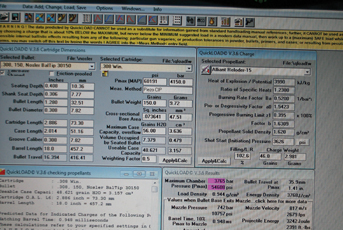
Most important are the filling, showing load density, charge weight where you input your preferred powder weight which is shown in grains and grams. With a charge of 46-grains of Alliant Reloader RL15 you now press the ‘apply and calculate’ button.
Quickload calculates the data you have input and then shows its predictions in the lower right boxed window. Pressure is shown in psi and bar and is colour-coded; yellow -mild, pink- ok and red - too high. There are 15 windows but the main ones are:- amount of propellant burnt to see if the powder is all burnt in the barrel. Muzzle velocity and muzzle energy and ballistic efficiency - anything above 30% is good. Also this data is displayed as a graph in the large left hand window for a visual guide.
With the above load I had 54,605 PSI (pink) with 97.34% filled case and 2860 fps /2724 ft/lbs. Change the seating depth from 2.800” to 2.765”COL and the pressure now rises to 61,673 psi (red) and a warning appears and it changes velocity to 2932 fps and energy to 2863 ft/lbs. Cut the barrel to 18” and muzzle velocity reduces to 2679 fps/2391 ft/lbs and 2-grains extra powder raises the pressure to over 62,913 psi and well into the red!
INPUTTING
Now you have a load you can transfer that data into Quick Target that shoots it and gives you a predicted external trajectory path. Click the Retrieve Data from Quickload button and your data is transferred showing bullet diameter, velocity and ballistic coefficient (BC). This can be changed or modified for multiple BC`s at down range distances but that’s an advanced feature. To the left of the main window you can input point blank range or more importantly sight height above bore axis and then zero range, range increments and maximum range you want calculated.
Now you have a choice of wind speed, direction and shooting angle i.e. up or down hill and finally atmospheric data for temperature, pressure and air density. Click Apply and a new box appears with your results tabulated. You can also change the sight adjustments from metric to imperial, MOA or targets to display the results as a visual graph on a target rather than a table. You can also show the tabulated data as BC versus velocity, BC versus flight time, peak trajectory and a lot more.
In fact there are too many variables to list here but importantly the data on downrange trajectory is matched to your Quickload data and own rifle setup to give an accurate prediction of the load.
ADVANCED FEATURES
There are some very useful buttons to further explore ballistics such as Propellant Table setup accessed from the task bar at the top of the main page. This allows you to specify calculation parameters.
The best of these is the Barrel Timing predictions. Many people believe that if you have a load that shoots accurately and are pleased with this then it will have a specific barrel time of combustion. What Quickload does is to predict all the other combinations of loads i.e. powders that will match thus give as good or better accuracy. Barrels all harmonise to a specific load so this feature is useful and does work. My 46.0 grain RL15 load with 150-grain Nosler Ballistic Tip also has the same timings, 1.095 milliseconds, as 50.3-grains of H414 or 47.9 grains of IMR 4007 SSC.
Using the same button choose a specific maximum pressure as the parameter and Quickload will tell you all the other loads that match your original load, which saves you altering all the parameters one at a time. Quickload tells me that a new load of 43.8-grains of Hodgdon Varget, 42.8 of Hodgdon H4895 or 41.8 of IMR 3031 will give me the same pressure, so is worth a shot.
CONCLUSIONS
It is easy and fast to use and accurate but you must be sensible; if Quickload predicts a certain load I always load a few rounds 15 % below just to check. Some data also needs to be checked as correct, as some weights or diameters are wrong for some of the bullets, so best practice is to measure the bullet to check the default data. As new upgrades come out I have to say it is reliable and an extremely useful piece of kit and well worth the price.
FOR: Offers a degree of finesse and ability not often seen
AGAINST: For the serious reloader
VERDICT: An efficient and comprehensive ballistics package
click on image to enlarge

click on image to enlarge
click on image to enlarge

click on image to enlarge

click on image to enlarge


